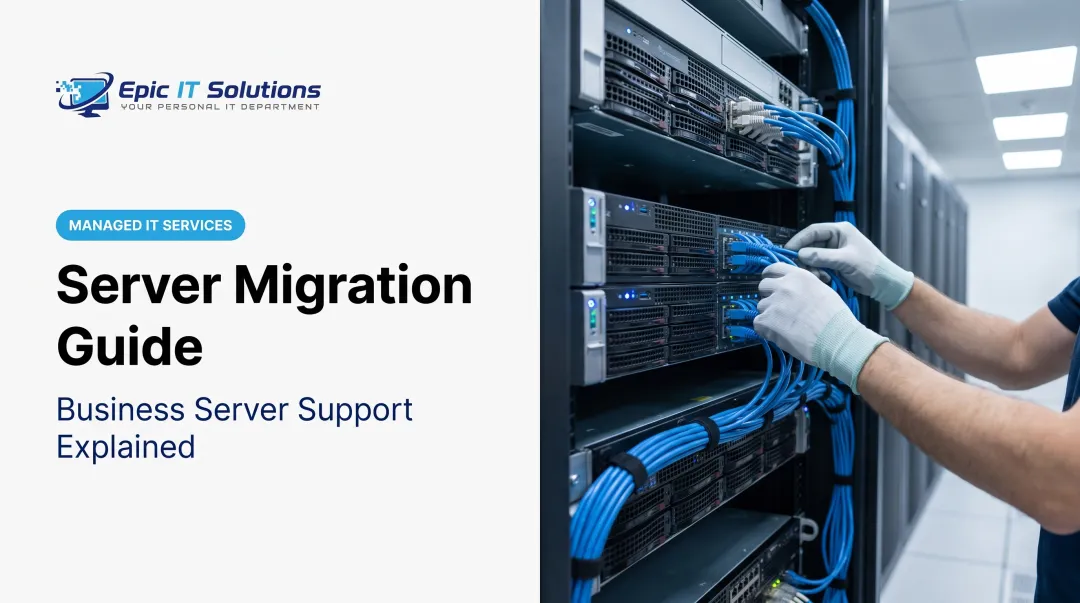
Server maintenance is the routine work that keeps this from happening: updating software, checking hardware, verifying backups, and monitoring performance before small issues become expensive emergencies. Skip it, and you risk downtime, security breaches, data loss, and repair bills that dwarf what prevention would have cost.
This guide covers what server maintenance actually involves, the four main types, a practical checklist, warning signs to watch for, and what to expect in terms of scheduling and cost.
TL;DR
- Server maintenance keeps hardware and software running reliably through updates, monitoring, and repairs
- Four types exist: preventive, corrective, predictive, and major/overhaul maintenance
- Watch for slow performance, unusual errors, and repeat downtime
- Schedules blend daily monitoring with weekly, monthly, and annual reviews
- Outsourcing to a provider like Epic IT Solutions often costs less than hiring in-house
What Is Server Maintenance and Why Does It Matter
Server maintenance is the systematic process of diagnosing hardware, patching software, auditing security, and verifying backups so servers keep running the way your business needs them to. It is ongoing care, not a one-off project.
Well-maintained servers perform better. They handle requests faster, manage memory and storage more efficiently, and avoid the slowdowns that come from unpatched software or fragmented disks.
They also last longer. Regular hardware checks catch failing components, worn drives, or overheating parts before they cause a full breakdown, extending the useful life of equipment you've already paid for.
The Compliance Angle
Regulated industries can't treat maintenance as optional:
- Healthcare (HIPAA): requires a data-backup plan and periodic testing of disaster-recovery procedures
- Financial firms (FINRA Rule 4370): mandates a written business-continuity plan reviewed at least annually, covering backup and recovery for mission-critical systems
- Law firms (ABA Formal Opinion 477R): calls for "reasonable efforts" to protect client data, weighing sensitivity, cost, and risk
None of these prescribe an exact maintenance calendar, but all of them assume ongoing, documented care.
The Real Cost of Skipping It
Compliance risk is only half the story—downtime hits the balance sheet just as hard. Industry research puts real numbers on that exposure:
- Uptime Institute's 2025 outage analysis: 54% of organizations said their worst recent outage cost more than $100,000; one in five topped $1 million
- Ponemon Institute: average unplanned outage costs $690,204, with recovery taking nearly two hours
Preventive maintenance is scheduled, predictable, and controlled. An outage isn't. That difference alone justifies the investment.
Types of Server Maintenance
Not every business needs the same approach. The right mix depends on your size, risk tolerance, and how much downtime you can absorb.
Preventive (Routine) Maintenance
This is scheduled work on a regular cadence, not a response to a problem. Typical tasks include:
- Software and OS patching
- Disk health checks
- Log reviews
- Backup verification
Small businesses with predictable workloads often find this sufficient on its own.
Corrective (Reactive) Maintenance
Corrective maintenance kicks in after something breaks: a failed drive, a crashed service, or a boot error. It's necessary, but relying on it alone is risky.
Reactive-only strategies mean longer downtime and higher emergency repair costs, because problems get fixed under pressure instead of on a schedule.
Predictive/Condition-Based Maintenance
Predictive maintenance uses monitoring tools and analytics to catch warning signs—SMART drive errors, unusual temperature trends—before hardware fails. HPE's Active Health System, for example, tracks configuration changes, firmware inventory, and fault analytics automatically. This fits larger server farms or multi-location businesses with strict uptime requirements.
Major/Overhaul Maintenance
Sometimes routine care isn't enough. Overhaul maintenance covers deep work: OS rebuilds, full hardware replacement, or server migrations. It usually follows end-of-life hardware or a capacity upgrade that routine patching can't handle.

Server Maintenance Checklist: What's Included
So what does server maintenance actually include day to day? Here's the core list:
- Software/OS updates — patching vulnerabilities and bugs
- Hardware diagnostics — checking drives, memory, power supplies, fans
- Security audits — reviewing access controls and vulnerabilities
- Backup verification — confirming backups completed and are restorable
- Log reviews — scanning event and error logs for warning signs
- Resource monitoring — tracking CPU, RAM, and disk usage against baselines
- Environmental checks — temperature control, dust prevention, and ventilation in the server room
- Disaster recovery testing — restoring from backup on a set schedule, not only storing copies
Overheating and dust buildup wear out otherwise healthy hardware. A backup you've never tested restoring isn't a real safety net either. NIST's contingency planning guidance recommends testing recovery procedures regularly, not just storing backups and hoping.
For owner-run businesses without in-house IT, executing this checklist consistently is where things often break down. Epic IT Solutions builds this into its IT Maintenance & Support Plans, with proactive monitoring, regular updates, and preventative maintenance. Backups use 256-bit AES encryption and are stored across two SSAE 16 Type II-compliant datacenters.
Signs Your Server Needs Maintenance
Servers usually give warning signs before they fail outright. Catching these early can mean the difference between a scheduled fix and an emergency call.
Performance changes:
- Slower response times on file access or applications
- Lag during routine tasks that used to run smoothly
- Inconsistent app behavior or delayed job completion
Unusual behavior:
- Unexpected reboots without a clear cause
- New or unfamiliar error messages
- Resource spikes with no obvious trigger
Recurring issues:
- Minor errors that keep reappearing despite quick fixes
- Downtime that resolves temporarily, then comes back
- Backups or scheduled jobs that fail, stall, or finish incomplete
Dell's guidance on predictive drive failure notes that SMART or RAID error trends often signal an impending disk failure—and recommends backing up immediately rather than waiting. Treat repeated small warnings as a request for attention before the server forces an outage.

Server Maintenance Schedule and Cost Considerations
How often maintenance happens, and what it costs, depends on your server count, complexity, and how critical uptime is to your operations.
Typical Frequency Breakdown
| Frequency | Typical Tasks |
|---|---|
| Daily | Monitoring alerts, backup completion checks |
| Weekly | Performance log review, security update checks |
| Monthly | Deeper diagnostics, capacity review |
| Quarterly/Annual | Full system audits, hardware overhauls, disaster-recovery testing |
How Long Does It Take?
Routine tasks, like patching or checking logs, generally take 30 minutes to two hours. Major work—hardware replacement or migrations—can run four to twelve-plus hours depending on scope and server complexity.

What Does It Cost?
There's no single industry-standard price for server maintenance. Hiring an in-house systems administrator carries real overhead: CompTIA reports a median starting salary of $90,520 for the role alone, before benefits or tools.
Outsourcing shifts that math. Epic IT Solutions structures maintenance as a customizable plan scoped to your size, needs, and budget—not a flat rate—so you get consistent care without a full-time hire:
- Proactive monitoring
- Regular updates and patching
- 24/7 help desk support
For businesses that need reliable upkeep but not a dedicated employee, a scoped plan usually costs far less than salary, benefits, and tools combined.
Conclusion
Server maintenance is the foundation of uptime, security, and cost control for any business that depends on its servers—and nearly every business does.
The best approach blends preventive care with the ability to respond quickly when something unexpected happens. Neither pure reaction nor excessive overhead serves a growing business well.
A structured maintenance plan protects the IT investment you've already made and keeps systems reliable when downtime would cost the most. If you don't have in-house IT staff, a managed provider can keep that plan consistent so maintenance doesn't slip when day-to-day work takes over.
Frequently Asked Questions
How much is server maintenance?
Costs vary by server size and complexity. In-house staffing runs upward of $90,000 in salary alone, while outsourced managed IT plans are scoped to your needs and budget—not a single flat rate.
What does server maintenance do?
It prevents downtime, secures data through regular audits and backups, and extends hardware lifespan by catching wear before it causes failure. Planned upkeep almost always costs less than emergency repairs.
What is included in a server maintenance checklist?
Core items include software and OS updates, hardware diagnostics, backup verification, security audits, log reviews, and resource monitoring for CPU, RAM, and disk usage.
How long does server maintenance take?
Routine tasks, like patching or log checks, take 30 minutes to 2 hours. Major work, such as hardware replacement or server migrations, can take 4 to 12+ hours.
What are the four types of system maintenance?
The four types are:
- Preventive — scheduled, routine upkeep
- Corrective — reactive work after a failure
- Predictive — monitoring-based, anticipates issues
- Major/overhaul — deep servicing such as migrations or rebuilds
What triggers scheduled maintenance?
Scheduled maintenance runs on calendar-based intervals or usage thresholds, not failures. It's planned in advance, unlike corrective maintenance, which only happens after something breaks.